Site health
A regular look at speed, how you show up on Google, accessibility, and protection. When a fix is worth doing, you can start it in the editor so nothing changes until you approve it.
The WolfWarden portal is where you ask for a change in plain English, review a real preview, and publish only when it looks right. The same login holds your monthly report, leads, email drafts, bookings, and your team.
Included with every managed website plan. Existing customers sign in at portal.wolfwarden.com.
Site editor
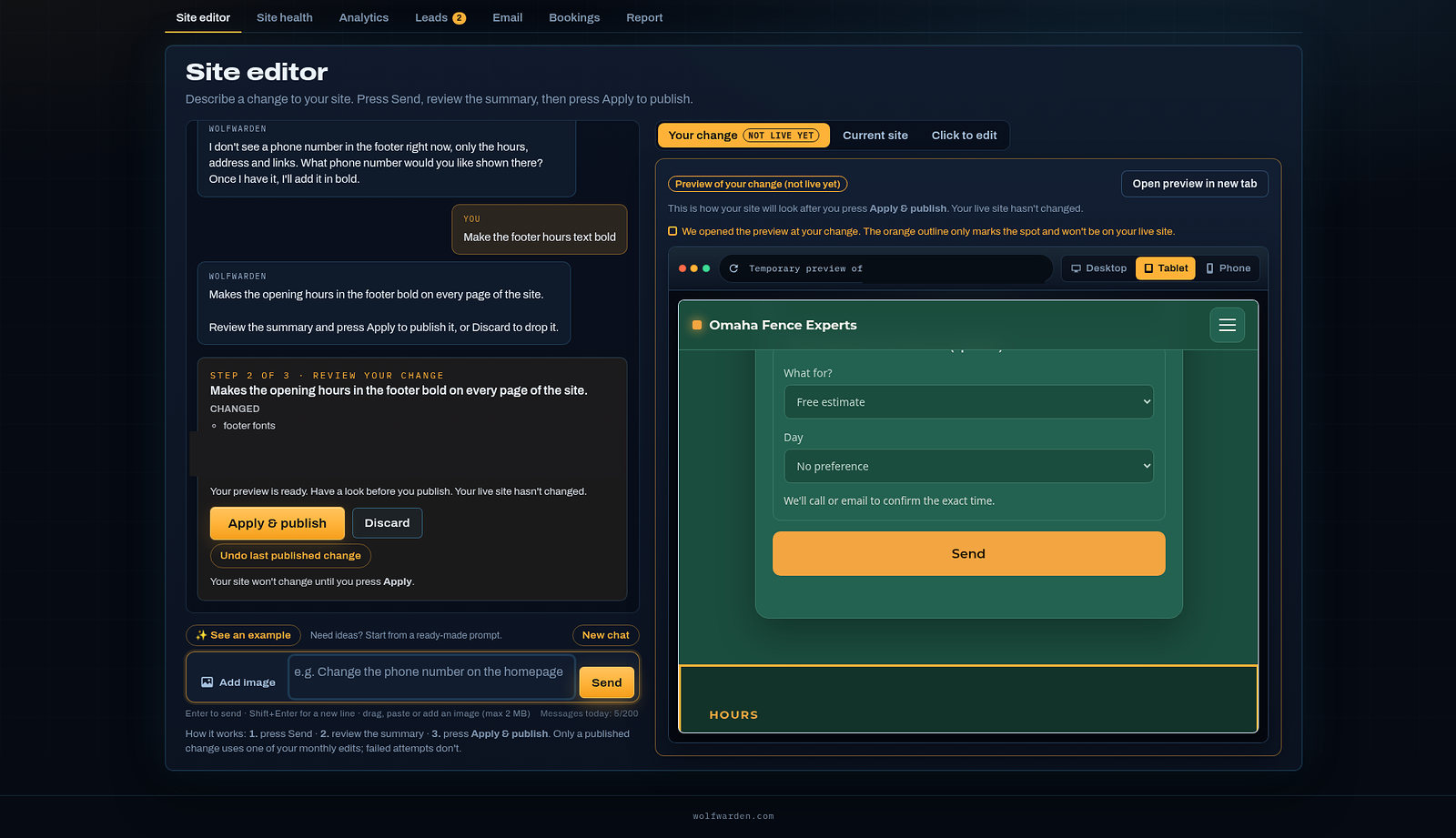
Type what you need: a new phone number, a photo swap, or a line of hours in bold. You can also click a spot on the page and change it there. A preview shows the result on desktop, tablet, and phone.
Your live site stays as it is until you press Apply to publish. If it is not right, discard it and try again. You can also undo the last published change.
Monthly report
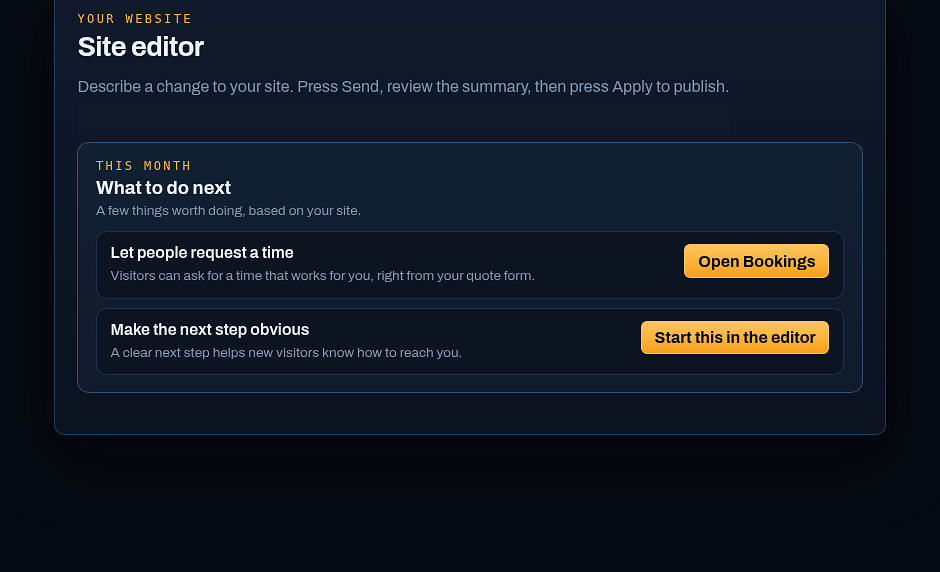
Each month you get a report on protection, visits, and a short list of what is worth doing next, based on your own site. Nothing in that list is sent or published until you choose to act.
The report also covers how we looked after your site, including traffic and protection at the edge.
Bookings
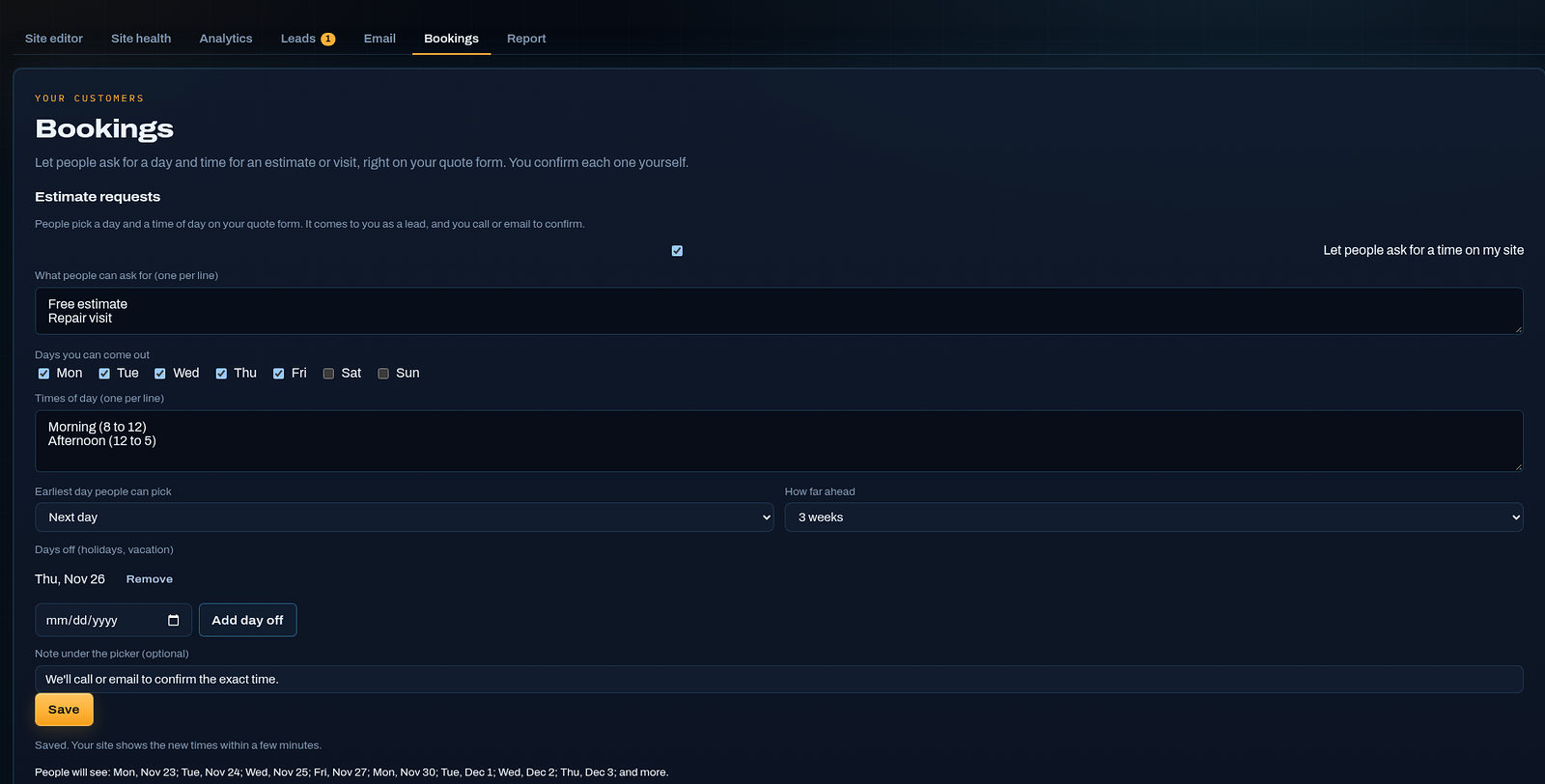
Visitors can request a day and time right from your quote form. You set the days you can come out, the times of day, and days off. Each request comes to you as a lead, and you confirm it yourself.
Leads and email
Form messages land in Leads even if an email was missed. You can write a reply, save a draft, and send it yourself. You can also write a simple note to a group of people, save the draft, and send a test to yourself first.
A follow-up or a campaign is never sent until you press Send.
Team
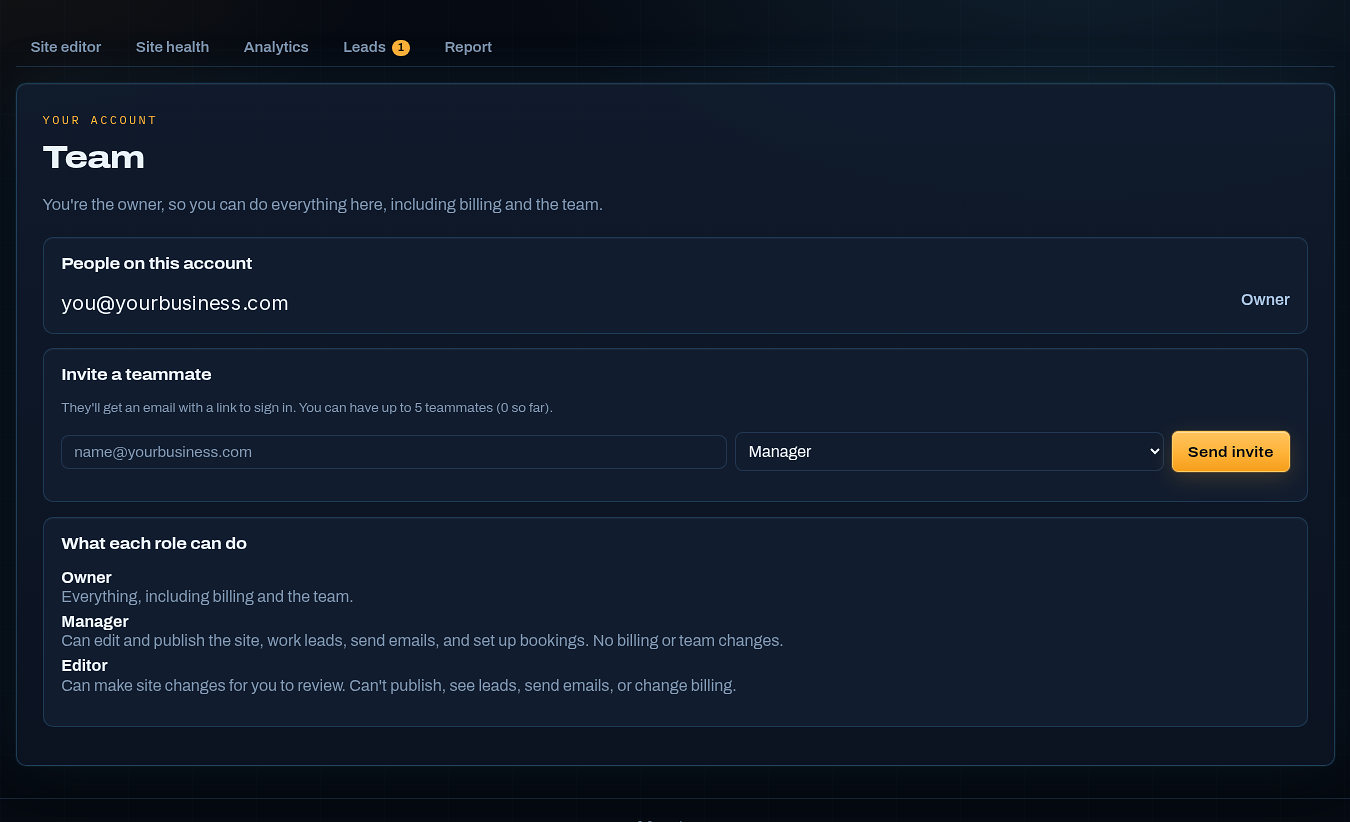
Add a teammate and pick what they can do. Owners handle billing and the team. Managers can publish, work leads, send email, and set up bookings. Editors can prepare site changes for you to review.
Also in the portal
The same login has a few more tools that help you keep the site sharp after launch.
A regular look at speed, how you show up on Google, accessibility, and protection. When a fix is worth doing, you can start it in the editor so nothing changes until you approve it.
See whether well-known assistants name your business when people ask about what you do, and what would help you show up more clearly.
A plain-language look at visits and activity on your site, so you can see how the month went without a separate analytics login.
We check that the portal is working throughout the day. If the usual writing assistant has trouble, a backup steps in so you are not stuck mid-change.
Book a free 15-minute fit check, or look at the plans. Existing customers can sign in any time.
Already a customer? Sign in at portal.wolfwarden.com.